Embedding Models
Embedding models are the search engines that power your Knowledge Base retrieval. They convert your text into mathematical vectors so the AI can search through it. If you wish to use a Knowledge Base, you must configure an embedding model first.
Setting up an Embedding Model
- Navigate to Models > Embedding Models and click Add New Model.
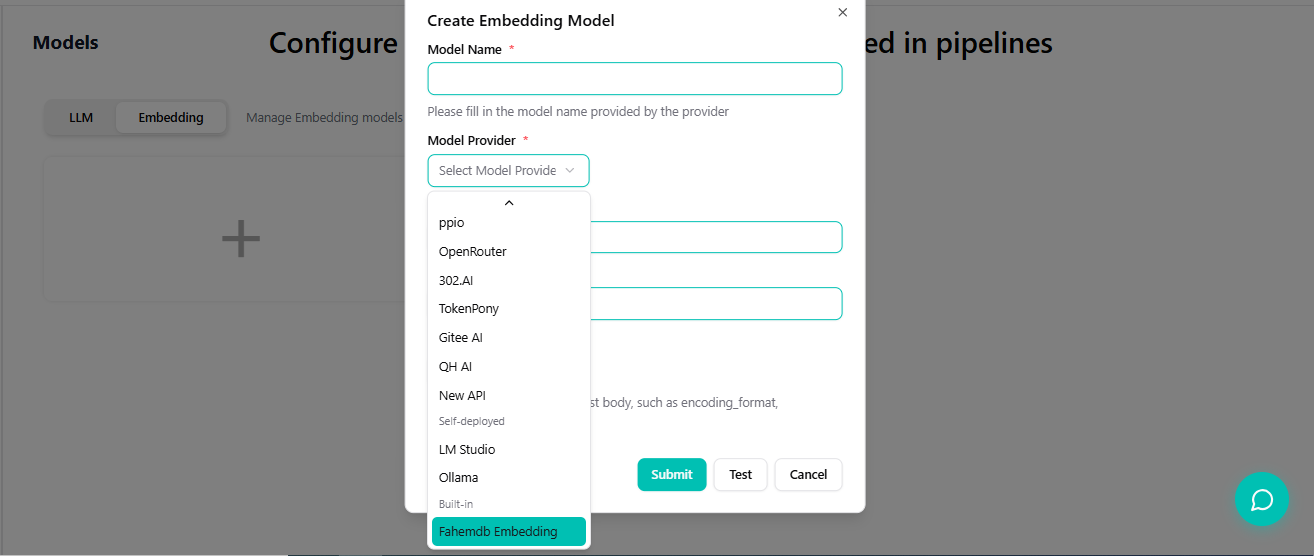
- Then select Fahemdb-built-in as the provider to simplify the process.
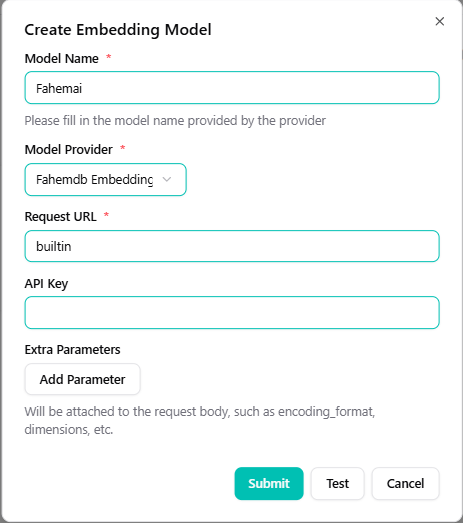
Option A: Using Built-in Model (Zero Configuration)
The system integrates an official embedding model (Fahemdb-built-in) that requires no parameters or API keys.
- On the "Embedding Model" page, select Fahemdb-built-in.
- Click Save to use it immediately.
- Later, select this model when creating your Knowledge Base.
Option B: Custom Embedding Model
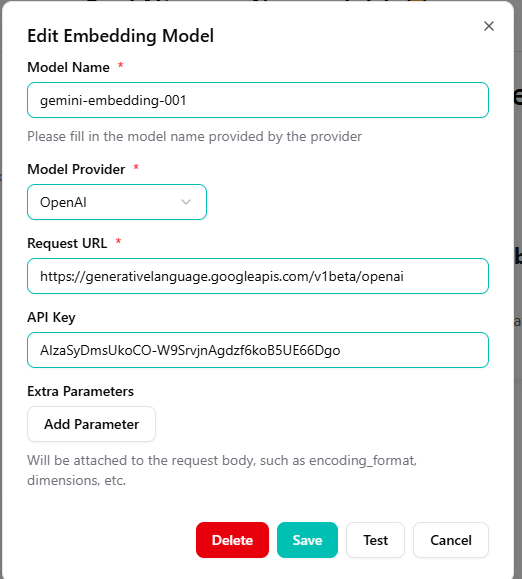
To use an external provider (like Google Gemini), you will need to enter these four parameters: Model Name, Model Provider, Request URL, and API Key. After submitting, you can select it in your knowledge base.
Success
Always set up your Embedding Model before creating a Knowledge Base. The Knowledge Base needs this model to process your documents.