Facebook Messenger Integration
Integrating Messenger with FahemAI allows your custom agent to communicate directly with customers via your Facebook pages. It also allows you to takeover the conversation whenever you want and communicate with users yourself through Messenger. This guide will walk you through the necessary steps to connect your agent to Messenger for your Facebook pages, ensuring smooth and effective customer interactions.
Meta Developer Portal Setup
Before connecting to FahemAI, you need to set up an app on the Meta for Developers portal.
Create a Meta App
- Go to Meta for Developers and create a new App.
- Select Other as the use case and choose Business or Consumer.
- Give your app a name and click Create App.
Add Messenger Product
- In your App Dashboard, find Messenger and click Set Up.
- Navigate to Messenger > Settings.
- Under Access Tokens, add your Facebook Page and generate a Page Access Token.
Get App Credentials
- Go to App Settings > Basic.
- Securely copy your App ID and App Secret. You will need these for the next steps.
Connecting in FahemAI
Once you have your Meta credentials, follow these steps to link your bot:
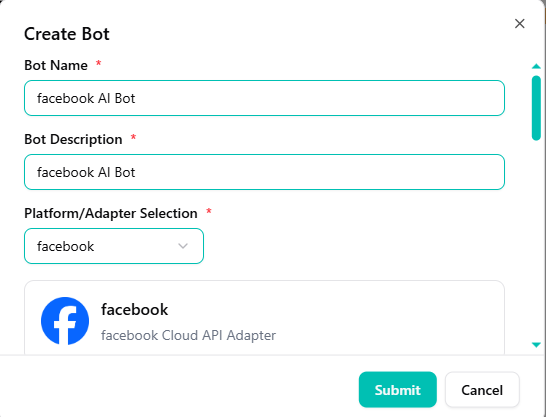
Select Facebook Adapter
- Go to your FahemAI dashboard and select the bot you want to connect.
- Navigate to the Bots section in the sidebar.
- Click the + (Plus) button and select Facebook from the dropdown menu.
Configure App Credentials
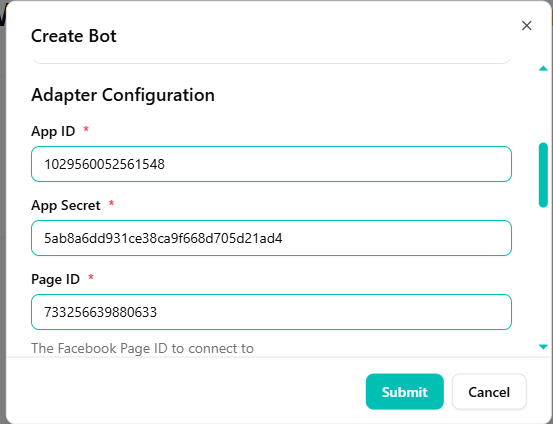
Enter your Facebook App credentials obtained from the Meta portal:
- Paste your App ID.
- Paste your App Secret.
- Enter your Page ID.
Set Graph API and Tokens
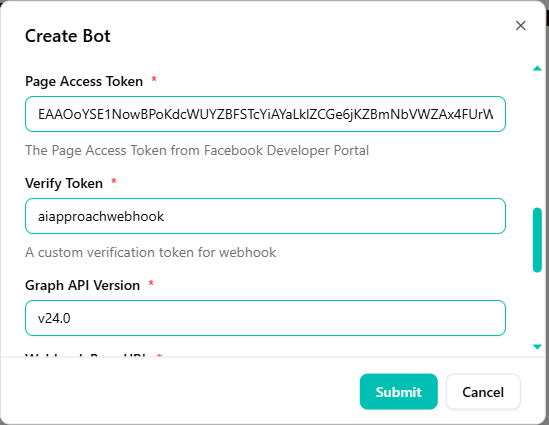
- Provide your Page Access Token.
- Set a Verify Token (this can be any secret string, e.g.,
fahemai_verify). - Choose the latest Graph API Version.
Configure Webhook
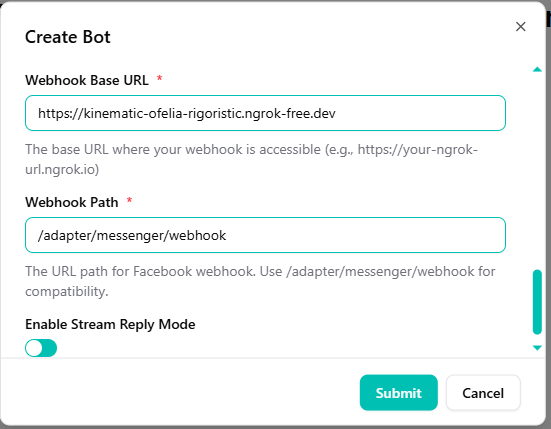
- Set the Webhook Base URL (your server URL).
- Define the Webhook Path (usually
/adapter/messenger/webhook). - Enable Stream Reply Mode.
Save and Test
- Click Submit or Save to activate the integration.
- Now, send a message to your Facebook Page to test the AI's responses.
Success! Your bot is now live on Messenger. It will respond immediately to messages sent to your Facebook Page.
Need help? For any further questions, please do not hesitate to contact us.