Large Language Models (LLM)
LLM Models are the processing units ("brains") that generate text and reason through queries. FahemAI allows you to connect to various LLM providers or use local models.
Configuring an LLM
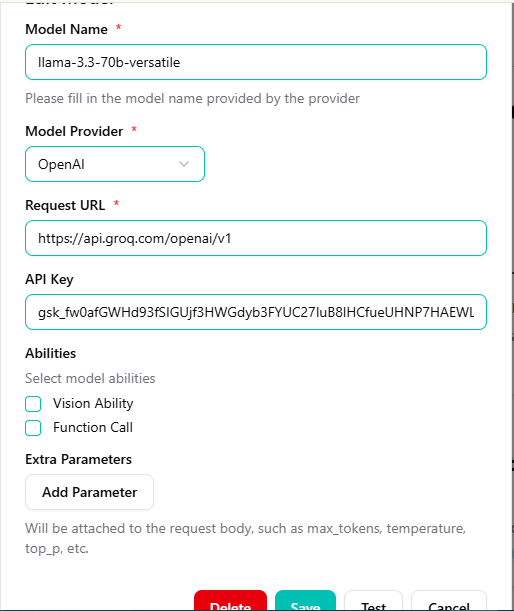
To set up a dialogue model that will speak to your users:
- Go to Models > LLM Models.
- Click Add New Model.
- Select a provider (e.g., OpenAI, Groq, Anthropic) and enter your API Key.
- Set the Model Name (e.g.,
gpt-4oorllama-3.1-70b).
Supported Providers
- OpenAI: Standard for high-quality responses (GPT-4, GPT-3.5).
- Groq: Extremely fast inference for real-time interactions.
- Anthropic: Claude models known for safety and reasoning.
- Local/Custom: Connect your own models compatible with OpenAI formatting.
info
The first model you configure will typically be set as the default model for new pipelines, but you can change this in the Pipeline settings.