Telegram Integration
Telegram is one of the easiest and fastest platforms to connect with FahemAI. Follow these simple steps to set up your bot and start interacting with your users.
Setting Up Your Telegram Bot
Get the Bot Token
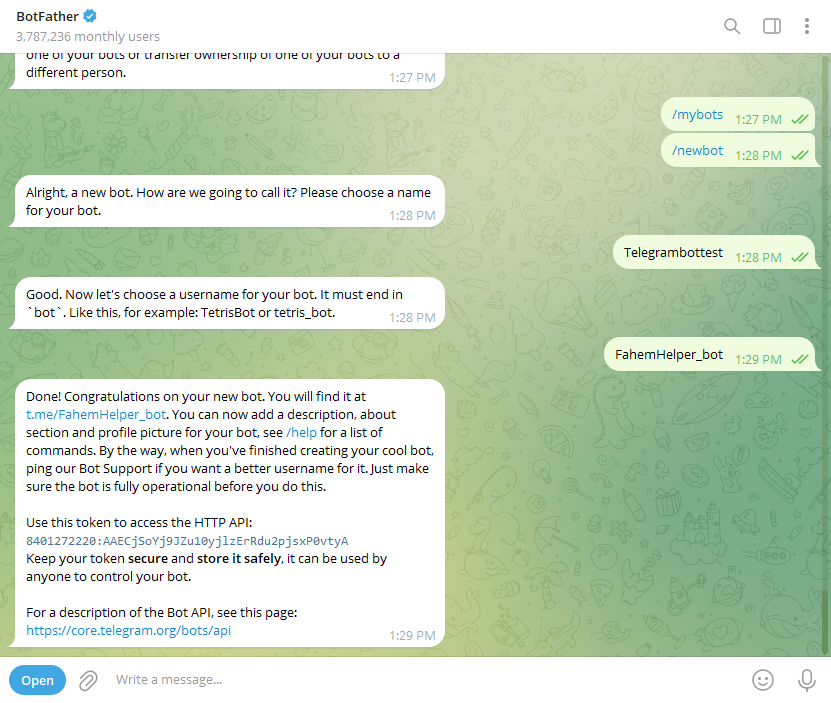
To create a bot on Telegram, you must communicate with BotFather, the official bot for managing Telegram bots.
- Open the Telegram app and search for @BotFather.
- Send the
/newbotcommand. - Choose a Name for your bot (this is what users will see).
- Choose a Username (must end in "bot", e.g.,
FahemHelper_bot). - BotFather will provide an API Token. Keep this token secret!
Configure in FahemAI
- Go to your FahemAI dashboard and select the bot you want to connect.
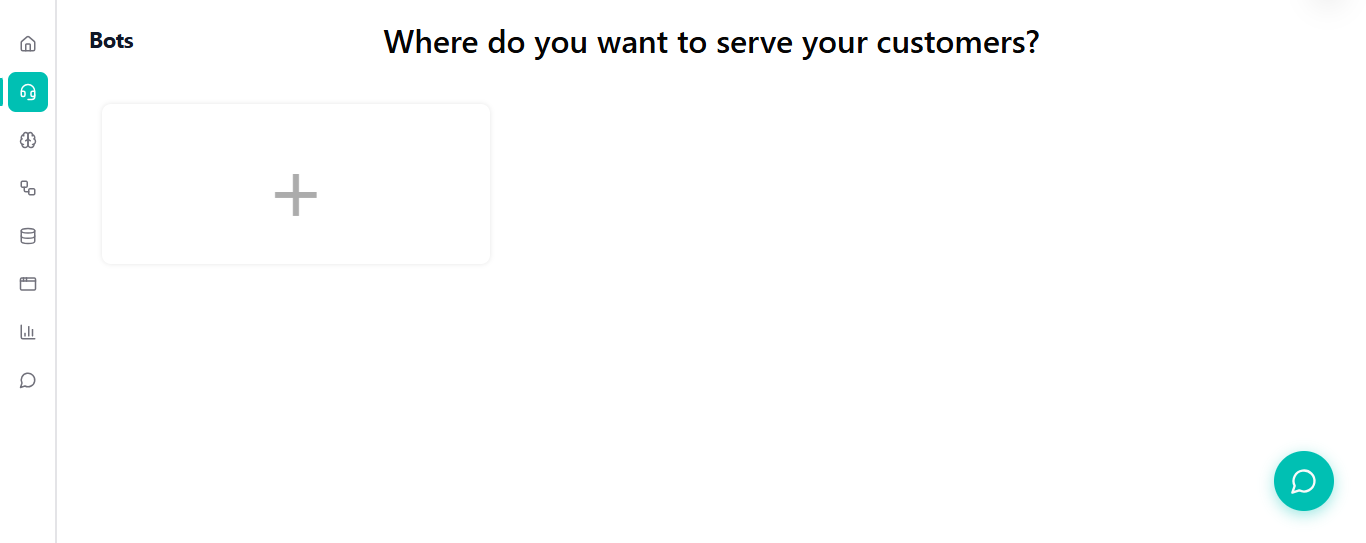
- Navigate to the Bots section in the sidebar.
- Click the + (Plus) button and select Telegram from the dropdown menu.
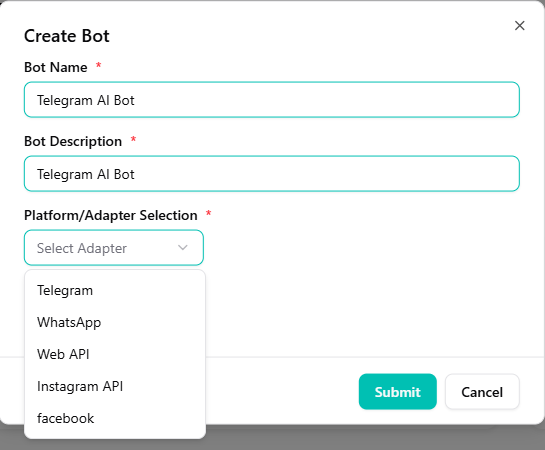
- Select Telegram from the list of platforms.
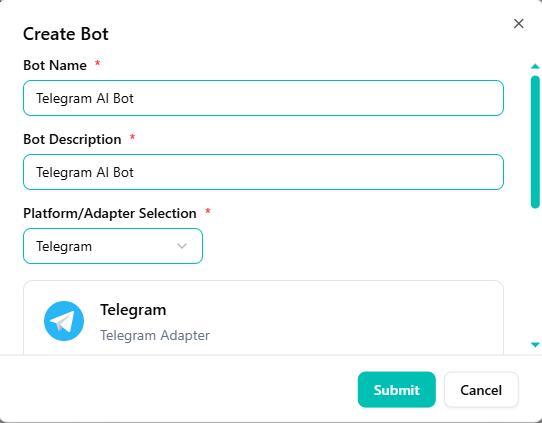
- Paste your API Token into the token field.
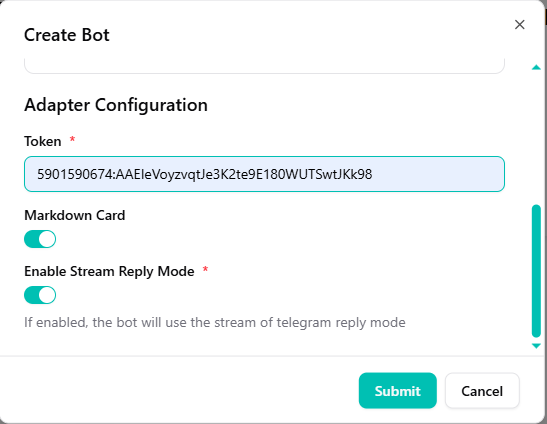
Stream Reply
You can also enable Stream Reply to allow users to see the response as it's being generated in real-time.
Save and Test
Click Save. Now, search for your bot's username on Telegram and send it a message like "Hello".
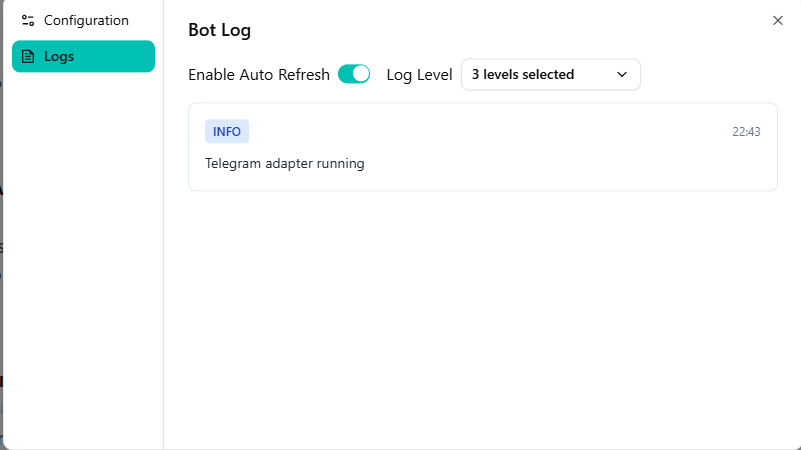
Success
Success! Your bot should now respond immediately based on your trained knowledge base.
Need help?
Need help? If you have any questions, feel free to reach out to us.