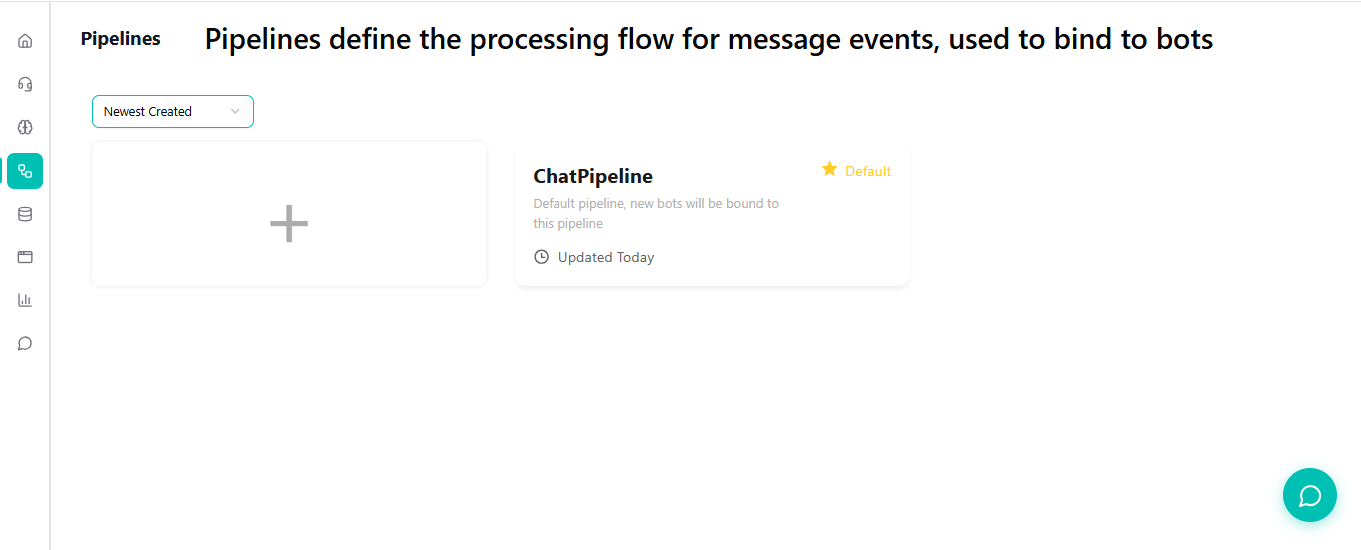
Pipelines
In FahemAI, a Pipeline is the central processing unit that defines how your AI agent behaves. It connects your Knowledge Base (Data) with the Large Language Model (Brain) and applies specific rules (Prompt).
What is a Pipeline?
Think of a Pipeline as the "profile" or "configuration" of your bot. You can have multiple pipelines for different purposes (e.g., "Customer Support," "Sales Agent," "Internal HR Helper"), and swap them easily between different bots (WhatsApp, Telegram, etc.).
Creating and Configuring a Pipeline
Navigate to the Pipelines section in the main sidebar. You will see a list of your available pipelines.
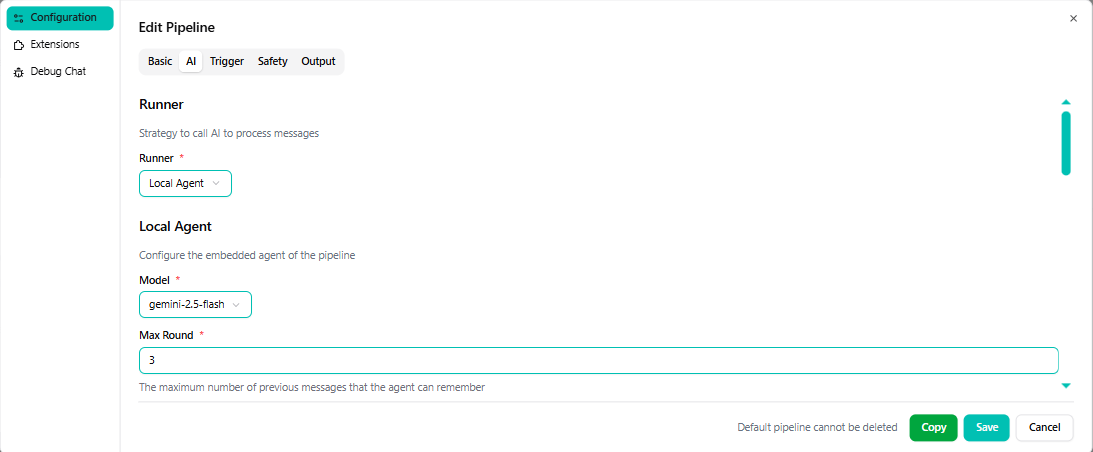
1. AI Configuration (The Brain)
This section controls the underlying model logic.
- Runner: Typically set to Local Agent.
- Model: Select the LLM you want to use (e.g., GPT-4, Llama 3). This must be configured in the Models section first.
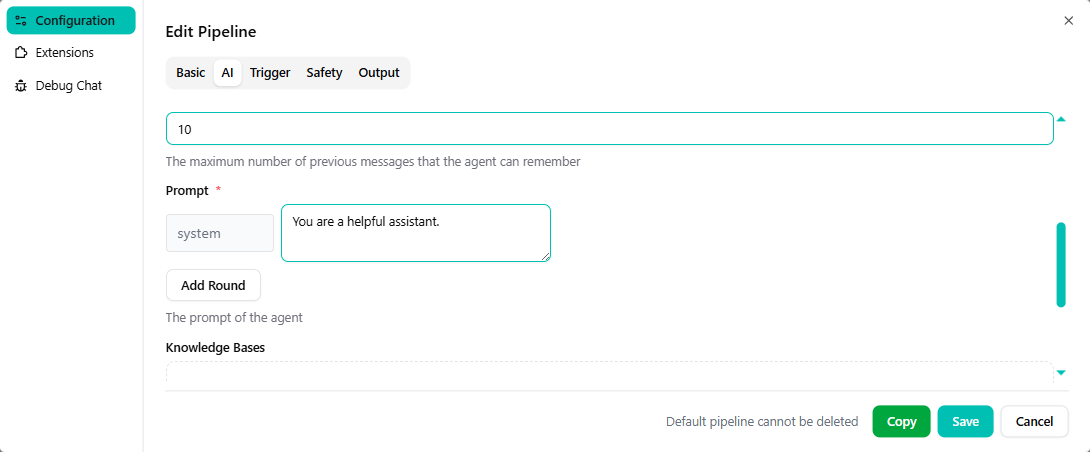
2. System Prompt (The Personality)
The Prompt allows you to define the agent's persona and rules.
- Role: "You are a helpful assistant for [Company Name]."
- Tone: Professional, friendly, concise, etc.
- Restrictions: "Do not answer questions outside of the provided context."
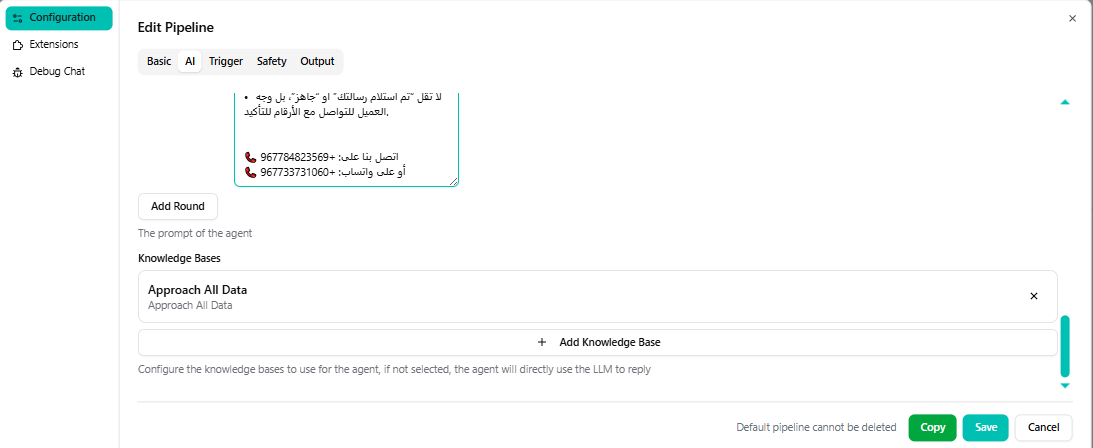
3. Knowledge Base (The Context)
Link your Knowledge Bases here to give the AI access to your data.
- Click + Add Knowledge Base.
- Select the relevant KB (e.g., "Product Manuals").
- You can attach multiple Knowledge Bases to a single pipeline.
Using Your Pipeline
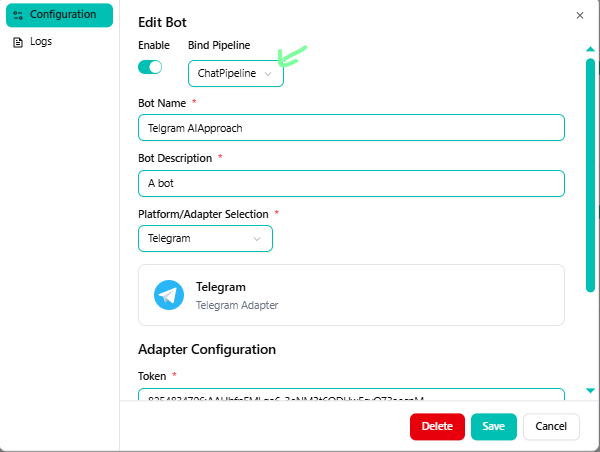
Once your pipeline is configured, you must assign it to a Bot (Telegram, WhatsApp, etc.) for it to take effect.
- Go to your Bot's Settings.
- Select your pipeline from the Pipeline dropdown.
- Save changes.